We love WordPress — its friendly interface features top-notch security and a thriving community of developers has helped it become one of the premier content management systems (CMS) on the web today. The platform has certainly come a long way from its humble beginnings as a simple blogging system.
There are many plugins now available that can help turn a simple WordPress install into a full-fledged CMS capable of handling any business’ needs. Here are a few of my go-to plugins:
Advanced Custom Fields Pro
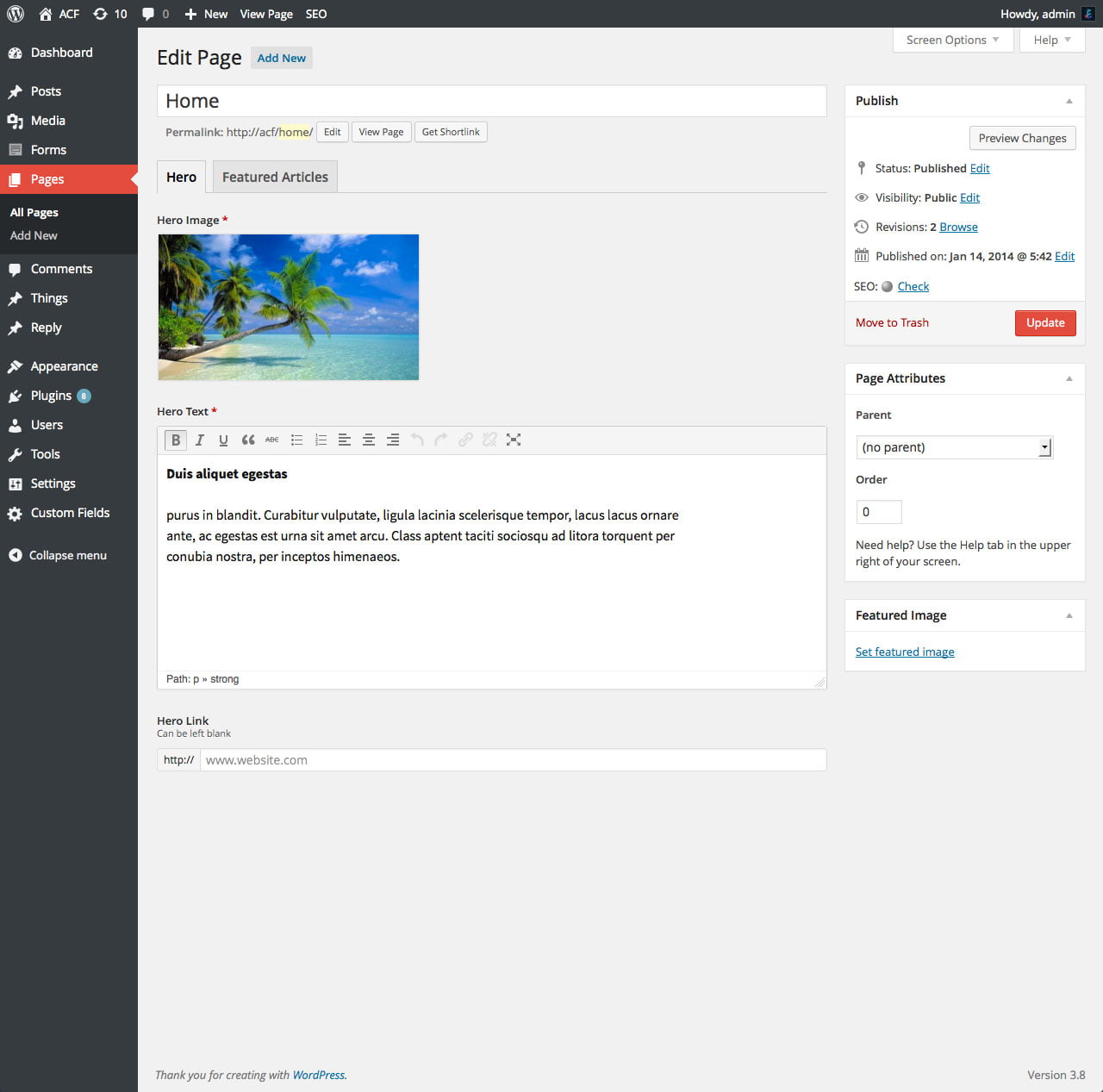
WordPress’ custom fields are essential for building anything more complex than a blog, but the out-of-the-box functionality leaves much to be desired. The meta box interface is clunky and the simple text inputs can be confusing and error prone. Advanced Custom Fields Pro provides an elegant and intuitive UI for developers and content editors by introducing standard input types found on the web: everything from simple dropdowns to repeatable layouts. The plugin features a familiar, WordPress-like API so developers can rapidly display custom field data in their themes. ACF Pro also has an active community of third-party developers who are continually extending the core functionality in new and exciting ways.
Highlights
- Intuitive input types – build easy-to-edit content forms from a library of standard fields
- Conditional field logic – display fields based on another field’s value
- Field group location rules – display field groups by post type, page template, and more
- Export field settings to JSON – great for version controlled projects
- Front end forms – display field groups on the front end to collect user input
Nested Pages
If you manage a large number of pages in WordPress, you know the process can be difficult. The default view is cumbersome and does a poor job of visually conveying the parent-child hierarchy. Nested Pages provides an intuitive and elegant solution for managing large, page-based sites. The plugin adds a new Pages interface with quick editing tools like a collapsible, drag-and-drop page tree and the ability to create multiple pages at once. Nested Pages will sync changes to a custom menu, bridging the gap between two essential, but very separate, pieces of WordPress functionality while reducing the amount of redundant work required to manage a large site.
Highlights
- Drag-and-drop page tree – easily organize a large number of nested pages
- Native menus – automatically sync changes to a WordPress menu
- Add multiple pages – quickly create groups of pages from a single window
- Hide from menu – create hidden pages that won’t appear in menus

Gravity Forms
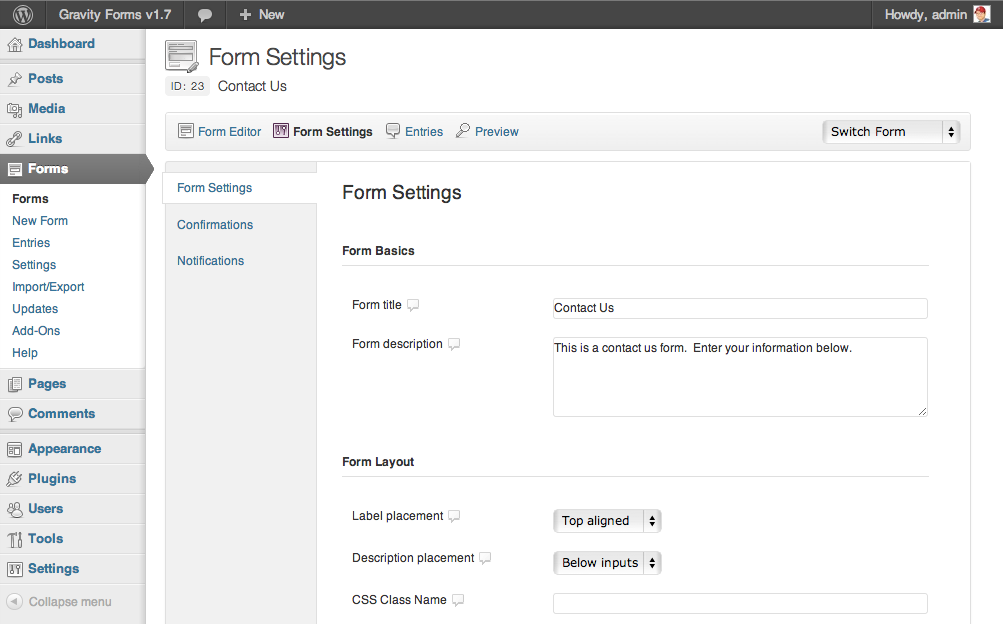
Ask any developer for a list of their least favorite tasks and I’ll bet building web forms is at the top – especially using WordPress’s native environment. Gravity Forms is an easy to use drag-and-drop form builder plugin that gives content editors the power to build complex forms quickly. In addition to the advanced out-of-the-box features, like input masking, conditional logic and AJAX submissions, Gravity Forms has developed a growing library of add-ons that will please any marketing team, from MailChimp and Slack integration to survey and quiz functionality.
Highlights
- Visual form builder – drag-and-drop different fields to quickly build custom forms
- Conditional logic – display fields based on another field’s value
- Order forms – build simple order forms and collect payments with PayPal or Stripe
- Confirmations and Notifications – custom post-submit actions based on user input
- Add-ons – send data to third-party services, like CRMs or email marketing systems
WP Fastest Cache
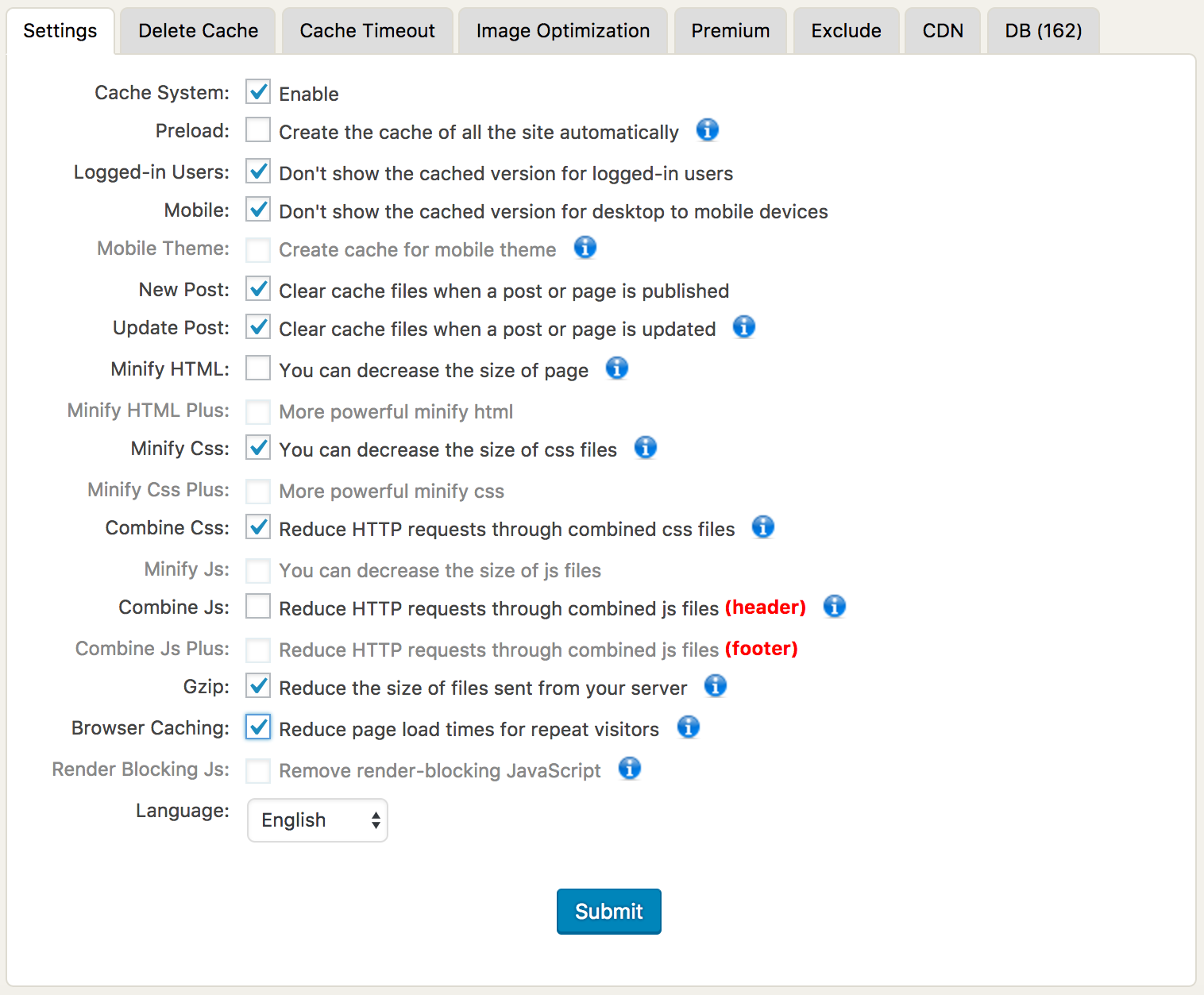
WordPress is a resource hog, plain and simple. A caching plugin is vital for keeping a large site loading quickly, especially under heavy traffic. While WP Fastest Cache may not have the name recognition of other plugins (like W3 Total Cache or WP Super Cache), its simple setup, advanced feature set, and rock-solid performance make it our go-to caching solution for sites of all sizes.
Highlights
- Preload cache – automatically prime the page cache on a set interval
- Minification – compress and GZIP pages to reduce response size
- Resource optimization – combine and minify static JS and CSS files
- CDN Support – serve cached pages from a content delivery network
- Browser cache – set client-side cache length for faster page load on return visits
My Eyes Are Up Here
WordPress’s built-in image management is just about as easy as it gets – upload an image and have multiple sizes automatically generated for use in different contexts. But what happens when the focal point isn’t the center of the image? My Eyes Are Up Here solves this problem without the need for expensive photo editing software or clumsy manual cropping tools. This plugin allows the content editor to define the focal point of the image, then it re-generates the cropped versions based on this ‘hot spot,’ avoiding awkwardly framed images.
Highlights
- Face detection – automatically detect faces found in the image
- Custom hot spots – manually define the focal point of the image
- Quick and simple – Zero configuration, just click and save to regenerate


There you have it – 5 WordPress Plugins that can transform a simple install into a full-blown CMS capable of handling just about anything.